Stretching Device Battery Life on a Bikepacking Trip
20+ years testing gear in Colorado backcountry
How to Make Your GPS Battery Last on a Bikepacking Trip
To make your GPS battery last, cut the four things that actually drain it: the screen, the radios, the satellite setting and the cold. Dim the backlight and shorten its timeout, put the phone in airplane mode, drop the head unit back to single-system GPS, and keep the phone against your body below freezing. Everything else is rounding.
The cheapest watt-hour is the one you never spend. A loaded trip runs on a fixed number of watt-hours, and settings are free, so shrinking demand beats carrying another brick. If you have not yet sized the supply side, start with our bikepacking power and charging setup overview.
Why Rated Head Unit Battery Life Is Not What You Get
Read the spec sheet carefully and the gap stops being mysterious. Garmin's Edge 530 specifications list battery life as "Up to 20 hr., typical usage." The last two words are doing most of the work.
"Typical usage" is not loaded bikepacking usage. It is not a backlight running at dusk, a moving map redrawing every few seconds, live tracking uploading over a phone connection, three ANT+ sensors paired and multi-band satellites enabled.
How wide is the spread? Garmin publishes both ends for the Edge 850: up to 12 hours in normal use and up to 30 hours in battery saver mode. That is a 2.5x range on one device with one battery, and the only variable is what the device is allowed to do.
The right mental model is not "my unit underperforms" but "my unit is configured for a different job than the one I gave it." If you are still choosing hardware, our roundup of bike computers worth taking bikepacking compares the runtime claims side by side.
The Screen: Brightness, Timeout, and the Dark Theme Myth
Start here: it is the one draw that is on whenever you look at the device.
Three settings, in order of value:
- Backlight brightness. Drop it to the lowest level you can actually read in the light you are riding in. On a transflective head unit screen in daylight you may need no backlight at all.
- Backlight timeout. A few seconds, not "always on." An always-on display is, in our experience, the most expensive convenience on a bar-mounted device.
- Auto-brightness. Apple's battery guidance recommends you "dim the screen or turn on Auto-Brightness to extend battery life." That is the honest version of the trade: a little legibility for runtime.
Now the dark theme question, because riders get it wrong in both directions. Researchers at Purdue University tested light mode against dark mode on OLED phones in a 2021 study and, as reported by Notebookcheck, found power reductions of 39% to 47% at 100% brightness but only 3% to 9% at the 30-50% brightness most people actually use.
Two things follow. A dark map theme is worth real hours only if you were running the screen bright anyway — and if you are, turning the brightness down is the better move. And that study used AMOLED phones (Notebookcheck lists the Pixel 5, Pixel 4, Pixel 2 and Moto Z3), so it says nothing about the sunlight-readable LCD panels many bike computers use, where the backlight is the load and a dark theme does not switch the backlight off.
Radios: Phone Battery Saving on a Bikepacking Trip Starts With Airplane Mode
This is where a phone quietly loses half a day. Apple's own battery page explains the mechanism: a "No Cell Coverage and Low Signal" message means "you are in a poor cell coverage area and your iOS device is searching for a better signal," and Apple says enabling airplane mode can help in that situation, adding that "you can optimize your battery life by turning on Airplane mode."
Read that as a rule for remote country: a phone with one bar is more expensive than a phone with no service, because it keeps trying. On a route that crosses a day of no coverage, airplane mode is not a tweak. It is the difference between a phone you can still navigate on at camp and a phone that went dark before the climb.
How we run it:
- Keep off: cellular, background app refresh, mail and photo sync, automatic app updates.
- Turn back on selectively: Bluetooth if you need sensors or a head unit connection, since it typically draws far less than a cellular radio hunting for a tower. GPS reception itself does not need a cell connection.
- Accept: no calls, no texts, no live tracking. If someone must be able to reach you off-grid, that is a satellite messenger job, not a phone job.
Live tracking is the other quiet drain, because it necessarily keeps the phone radio and the head unit link awake for the whole ride. If family want a daily position, send one message at camp instead of streaming all day.
Same logic for uploads. Sync your ride files, download tomorrow's tiles and let the apps update once, at camp, on a charger — not opportunistically all day. Our guide to bikepacking navigation apps covers which ones let you pre-cache a region so the phone never needs data on the move.
GPS Recording Interval, Battery, and the Satellite Setting That Matters More
Two settings get confused here, and only one of them is a real battery lever.
The satellite setting is the real one. Garmin's Edge 1040 manual offers Multi-GNSS and Multi-GNSS Multi-band "for increased performance in challenging environments and faster GPS position location," and then states the cost plainly.
Using GPS and another satellite together reduces battery life more quickly than using only GPS.
Garmin publishes no figure for that, so we will not invent one — but note which way the trade runs. Multi-band earns its keep in deep canyon and dense forest. On open gravel, single-system GPS tracks fine. Many dedicated GPS units expose this per activity profile, which is the useful way to run it: one profile for the ride, one for the days you want the extra satellites.
The recording interval is mostly not a battery setting. Garmin's Edge 530 manual describes the Smart option as recording "key points where you change direction, speed, or heart rate," and the 1 Sec option as recording "points every second," which "creates a very detailed record of your activity and increases the size of the stored activity file." The manual does not mention battery life at all. Treat the interval as a data-quality choice: keep 1 Sec if you want the clean track, and buy your hours back from the screen instead.
Then turn off what you never read:
- Sensors left in a profile may still be searched for when they are not with you. Delete them from the profile rather than leaving them paired.
- Spare data screens are work the device may be doing for nobody. Trim to two.
- Climb, performance and recovery features are nice at home and irrelevant on day six.
Navigation Choices: Loaded Route Versus Full-Time Moving Map
A loaded GPX route with the map hidden is a fundamentally cheaper way to navigate than a full-color moving map that redraws all day.
Our default on a long day is a loaded route, a data screen showing distance-to-next-turn, and the map screen one swipe away. You get the turn prompts, you get the beep, and the screen stays dark between junctions.
Keep the moving map for where you need it: unsigned junction clusters, towns, and anywhere a route sheet stops making sense. The head unit does not have to be the thing navigating, either — a paper backup covers the simple sections for free.
Battery saver mode belongs here too. Garmin does itemize what it changes: the Edge 850 manual says battery saver "allows you to adjust the settings to extend the battery life for longer rides," with options to reduce the backlight, hide the map screen (navigation turn prompts still appear) and change the satellite setting — the same three levers as above, bundled into one switch. The Edge 850's jump from 12 to 30 rated hours tells you the concessions are large. Switch it on at the point you stop needing a live map, not at the point you are desperate.
The Cold Steals Hours, Then Gives Most of Them Back
This is the failure mode that panics people, and mostly it is a false alarm.
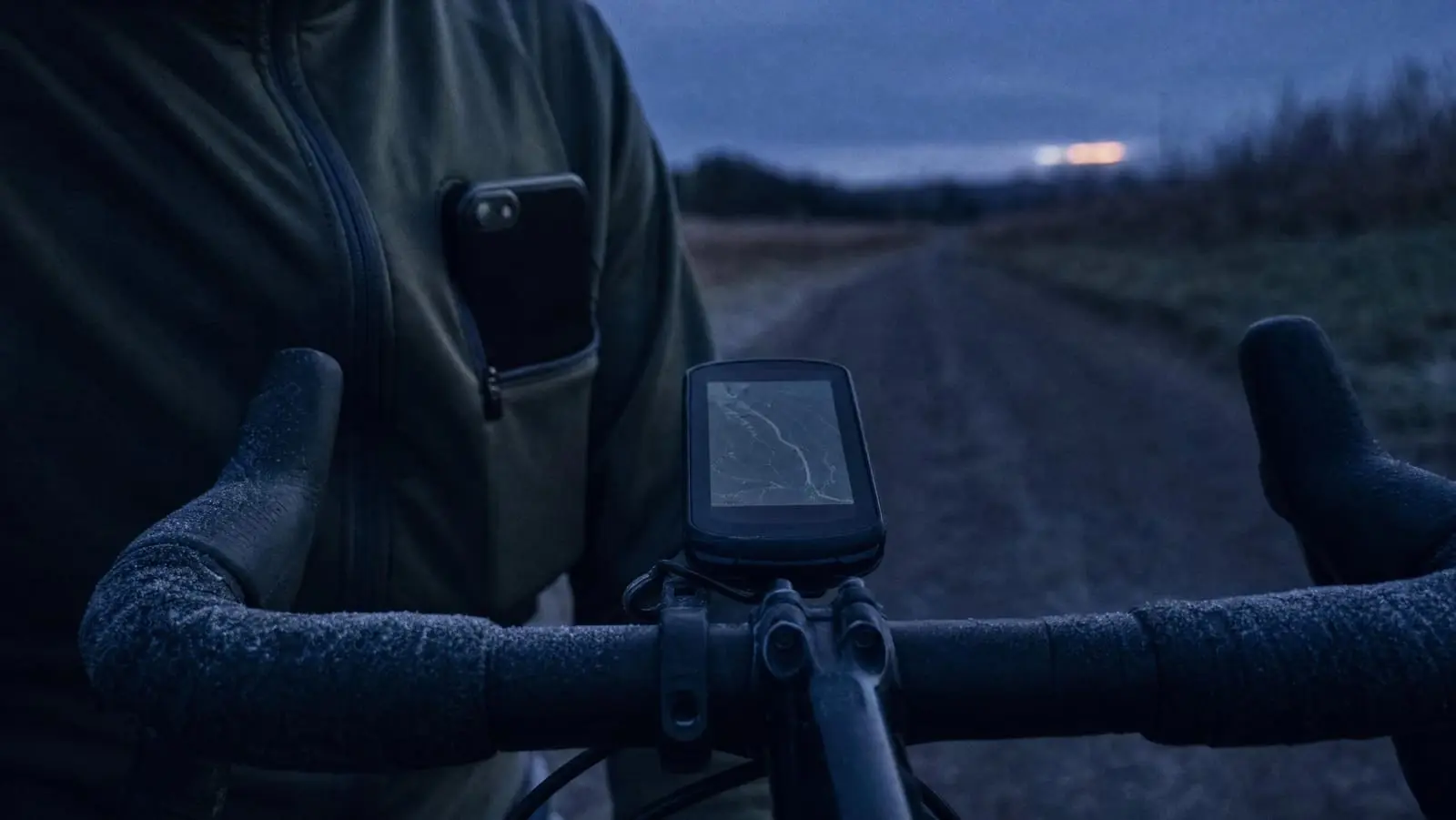
Apple states that iPhone and iPad devices "are designed for use where the ambient temperature is between 0º and 35º C (32º to 95º F)." Use one below that range and Apple says you "may notice a decrease in battery life, but this condition is temporary" — adding that "battery life will return to normal when you bring your device back to higher ambient temperatures."
So a phone that reads 2% at dawn in a frozen bivvy and 30% an hour later in a warm tent is not broken and did not lose the charge. The cell could not deliver current at that temperature. Plan around it rather than replacing the battery.
What we do when it is cold:
- Phone lives in a chest pocket, inside the insulation layer, out on the bars only for the junctions.
- Head units handle cold far better than phones. Garmin specifies an operating range of -20º to 60ºC (-4º to 140ºF) for both the Edge 530 and the Edge 850 — a full 20 degrees lower at the bottom end than Apple's stated range for an iPhone. In winter, navigate on the dedicated device and keep the phone warm and off.
- Warm the device before judging the percentage. Reading a cold battery gauge is reading a lie.
Proper winter riding changes more than your power plan; our cold-weather bikepacking guide covers the rest.
What Each Change Is Actually Documented to Save
Most of the figures floating around for this are invented. Here is only what the sources above actually state.
| Change | What the source documents | Source |
|---|---|---|
| Battery saver mode on a head unit | Edge 850 rated up to 12 hours normally, up to 30 hours in battery saver | Garmin Edge 850 specifications |
| Dark theme on an OLED phone at full brightness | 39-47% less power than light mode | Purdue study, via Notebookcheck |
| Dark theme on an OLED phone at 30-50% brightness | 3-9% less power | Purdue study, via Notebookcheck |
| Multi-GNSS or multi-band instead of GPS only | Reduces battery life more quickly than GPS alone; no figure published | Garmin Edge 1040 manual |
| Airplane mode with poor or no coverage | Device is "searching for a better signal"; airplane mode optimizes battery life | Apple |
| 1 Sec recording instead of Smart | A larger stored activity file; battery not mentioned | Garmin Edge 530 manual |
| Riding below the operating temperature range | A decrease in battery life that is "temporary" | Apple |
Everything else here, our ranking included, is judgment not measurement. Rank by category: screen, radios, satellites, cold.
Habits and a Charge Order at Camp
Settings are a one-off. Habits are what get you to the resupply.
- Decide the day's power plan at breakfast, not at 8pm on 9%. Long day, no sockets, cold night: airplane mode on, single-system GPS, route loaded, map hidden.
- Glance, do not browse. Checking a map you already cached costs a screen wake every time.
- One sync window per day, at camp, on power.
- Charge in order of consequence, not in order of what reads lowest.
Our charge order at camp:
- Head unit — it is tomorrow's navigation and the cheapest thing to fill.
- Phone — to whatever percentage covers tomorrow's emergency use, not to 100%.
- Lights — if there is any chance of finishing in the dark.
- Everything else — earbuds, cameras, a watch, in that order and only on surplus.
That order assumes you know how many watt-hours you have. If you do not, our walkthrough of building a power budget in watt-hours sizes the battery against your real daily draw, and the guide to finding sockets on route covers buying watt-hours at a cafe stop. The brick, cables and adapters doing the charging are in our bikepacking charging kit rundown.
What to Change Before Your Next Trip
Work down this list tonight and you will not need the bigger power bank:
- Backlight timeout to a few seconds; brightness as low as you can read.
- Satellite setting to GPS only for your main riding profile.
- Airplane mode on the phone, with Bluetooth back on if you need sensors.
- Live tracking and all-day sync off; one sync window at camp.
- Unused sensors and spare data screens deleted from the profile.
- A cold-weather plan: phone in a chest pocket, navigate on the head unit.
Then stop optimizing. Past this point you are trading real convenience for minutes, and the honest answer becomes a bigger battery or a dynamo hub rather than another settings menu — which is the decision we work through in our complete bikepacking power and charging guide.