Phone-Only Navigation for Bikepacking: Mounts, Waterproofing and Battery Reality
20+ years testing gear in Colorado backcountry
Is a Bike Phone Mount Enough for Bikepacking Navigation?
Yes. A phone is a legitimate primary navigation device for a multi-day trip, and the right bike phone mount for bikepacking navigation is the part most riders underthink. Three things break phone-only navigation: vibration, water and battery. Solve those and the phone beats a bike computer on screen and map quality. We earn a commission on purchases made through the links below, at no extra cost to you.
Phone-only navigation is not a budget compromise. It is a deliberate trade. Your phone has the better screen and the richer map, and it is already the thing you use to book a motel at 8pm, photograph a cracked derailleur hanger for a shop, and call for a ride out of a valley.
So the useful question is not "phone or GPS". It is can the phone survive a week on the handlebar, and what happens to the rest of your trip when it does not? A bike computer dying costs you navigation. A phone dying costs you navigation plus your camera, your wallet, your light of last resort and your emergency call.
This guide covers the hardware half: what breaks, which mount family to buy into, and where it goes on a loaded cockpit. The route itself is in our bikepacking route planning guide.
Phone vs GPS: Pick a Trade, Not a Winner
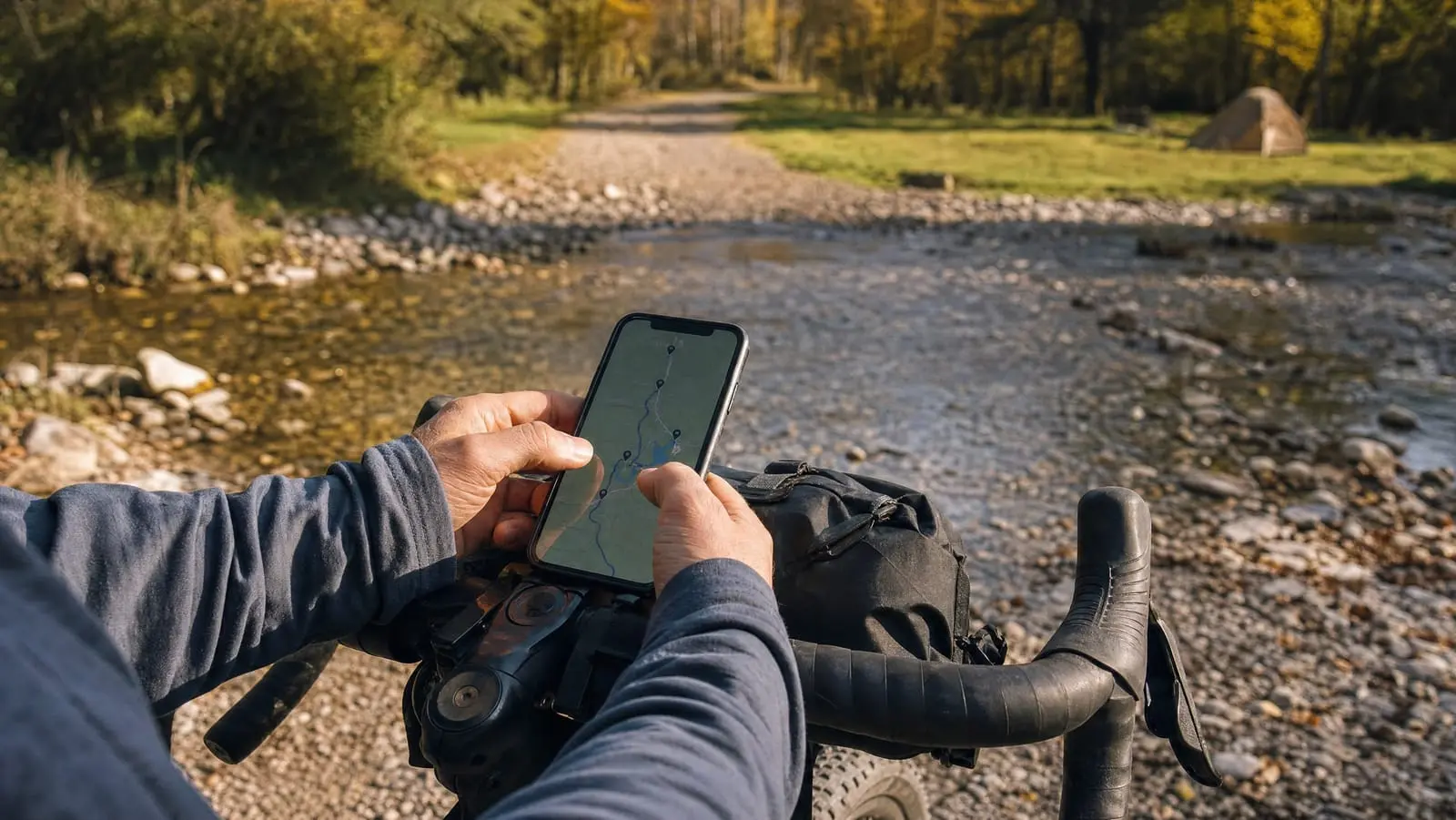
The phone wins on three things that matter every day. The screen is bigger and far higher resolution, so you see the shape of the next 10 miles instead of a corridor. The maps are richer — satellite imagery, land ownership layers, recent notes on a campsite. And you can re-plan on the device when a road is gated, instead of squinting at a breadcrumb and guessing. If you have not settled on software, start with the best bikepacking navigation apps.
The dedicated unit wins on the things that matter on the bad day. Battery life is not close. Outdoor-oriented screens stay legible in the flat white glare that turns a phone into a mirror. Sealing is designed around living outdoors rather than in a pocket. And critically, a bike computer is not also your wallet. Drop it, drown it or shake it apart and you have lost a navigation device, nothing else. Our rundowns of GPS navigation devices and cycling computers cover that side.
A bike computer failing costs you navigation. A phone failing costs you navigation, your camera, your wallet and your emergency call.
Where we land: for a three-day gravel loop, a week-long tour with towns on route, or anything where you sleep near an outlet every second night, phone-primary is the better experience. For remote, multi-week or reliably wet routes, run the computer as the navigation screen and keep the phone dry in a bag for planning, photos and calls. That pairing costs more and weighs more, and it is the only version where one failure does not end the navigation.
Vibration: The Failure Mode Nobody Prints on the Box
This one is real, routinely exaggerated, and worth stating precisely.
Apple publishes a support note advising riders not to attach an iPhone to motorcycles with high-power or high-volume engines. Those engines generate intense high-amplitude vibration transmitted through the chassis and handlebars, and Apple says long-term direct exposure to high-amplitude vibrations within certain frequency ranges might degrade the performance of optical image stabilisation and closed-loop autofocus, reducing photo and video quality. For vehicles with small-volume or electric engines — Apple names mopeds, scooters and drones — it still recommends a vibration-dampening mount or a gimbal.
Read that again, because the internet mangles it. Apple's guidance is about motorcycle engines, not bicycles. A bicycle has no engine, and nothing in that note says bicycle vibration damages cameras. We have not seen a documented case that it does, and we are not going to imply one.
The honest bikepacking version is narrower: days of washboard gravel through a rigid aluminum arm is a different exposure from a 20-minute commute, and nobody publishes data either way. A compliant mount, a silicone-padded clamp rather than bare metal, and the habit of pocketing the phone through the worst sections are cheap insurance.
Waterproof Is a Lab Result, Not a Weather Forecast
Modern flagship phones typically carry an IP68 rating, and riders read it as rainproof forever. It is not that.
Ingress protection testing under IEC 60529 is done in fresh water under controlled conditions — not rain, not grit-laden road spray, not salt. IP67 fixes the immersion test at 1 metre for 30 minutes; IP68 has no single fixed depth or duration, because the manufacturer sets those parameters, which is why two IP68 devices can mean different things.
Apple is explicit about the limits on its own hardware, stating that iPhone splash, water and dust resistance was achieved under controlled laboratory conditions, that resistance is not a permanent condition and may decrease as a result of normal wear, and that liquid damage is not covered by warranty. A phone that has spent three seasons on a handlebar, its port opened nightly in a damp tent, is not the phone that passed the lab test.
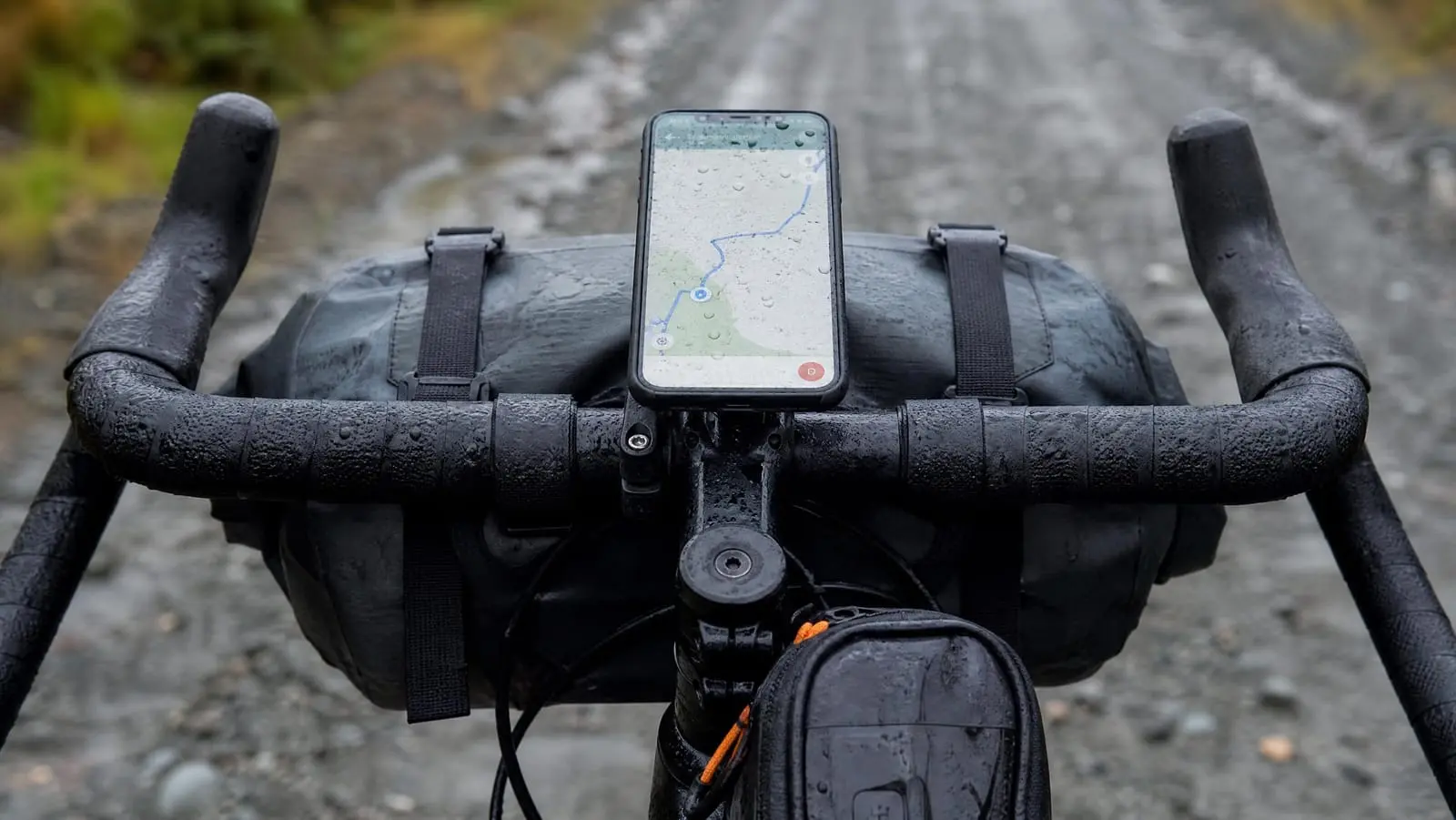
The failure riders actually hit comes long before water gets inside. Capacitive touchscreens detect conductive objects, and water is conductive, so a wet screen cannot reliably tell a raindrop from a fingertip. Juniper Systems, which builds rugged field hardware, notes that a capacitive screen can usually reject small isolated droplets but that as water pools and merges, its ability to determine intentional input degrades.
So rain breaks the interface hours before it breaks the phone. The map zooms itself, the screen wakes at random, and you cannot dismiss the notification sitting over your next turn. If your rain plan is "my phone is IP68", your rain plan is incomplete.
Battery Is Where Phone Navigation Actually Loses
Here is the part we will not soften: screen-on navigation is about the heaviest sustained load you can put on a phone, and a dedicated bike computer will outlast it by a wide margin. No mount and no setting closes that gap. You manage it, you do not solve it.
The display is the biggest lever. Apple's battery guidance says to dim the screen or turn on Auto-Brightness to extend battery life, and that Low Power Mode reduces display brightness, optimises device performance and minimises system animations. Drop the auto-lock timeout to its shortest setting and accept that you will tap to wake.
Airplane mode with location on is the second. A phone's GPS is a passive receiver — it listens to satellites and never transmits — so it keeps working with no internet or cellular connection. On most phones airplane mode therefore leaves the GPS receiver alone as long as location services stay on, although that behaviour is not consistent across every device, so test yours at home before you depend on it. Airplane mode kills the expensive behaviour: a cellular radio hunting for a tower it will not find. It only works if the maps are already on the device, which is the whole argument for offline maps for bikepacking.
Navigate by audio, not by sight. With turn cues playing through a speaker or one earbud, the screen can stay off for entire hours and only come up at junctions.
Let a computer be the screen. If you own one, pairing it as the always-on display while the phone sleeps in a bag is the best of both worlds; that workflow starts with loading a route onto a bike computer.
Carry the charger, and treat it as navigation gear. On a phone-primary trip a power bank is the thing keeping your map alive; our guide to portable chargers for a phone and GPS covers sizing. Charge overnight rather than on the bike, where a dangling cable and a wet port do their worst.
How Bike Phone Mounts Actually Attach
There are four families, and choosing the family matters more than choosing the brand inside it, because each has one tradeoff you cannot engineer away.
Case-lock systems build the lock interface into a dedicated case, so the phone twists or slides into place with no arms over the glass. Most secure, most positive, one motion with gloves on. The costs: you buy a case, you are tied to one ecosystem across phone upgrades, and the price on the box is not the entry price. Quad Lock is the reference implementation, and for bikepacking this is the family we would pay extra for.
Clamp mounts grip the phone's edges with spring or screw-tensioned arms. Case-agnostic, which is the entire appeal — any phone, any case, including the one you own. The tradeoffs: the arms sit over the screen corners and eat map area, and screw-tensioned clamps work loose over days of vibration. Look for a secondary latch.
Adhesive-adapter mounts stick a puck to the back of your existing case, giving a case-lock-style interface without the proprietary case. Light and low-profile, but a compatibility minefield: adhesive needs a smooth rigid surface, and silicone, rubberised and textured cases are commonly excluded. Read the compatibility line before you buy.
Bag windows put the phone inside a top tube bag under a clear touch-through panel. The only genuinely weatherproof option, and the worst to operate: the film blunts touch response, it fogs on a cold morning, and the bag competes for the space a frame bag wants. Our top tube and feed bag guide covers that side.
Where the Mount Goes: Out-Front, Bar or Stem
Position is the second half of the decision, and on a loaded cockpit it is a real conflict.
Out-front puts the phone in your natural sightline and leaves the bar tops clear. It is the best place to read a map from, and exactly where a handlebar bag wants to be. Check clearance before you commit; our handlebar pack guide shows how little room is usually left.
On the bar is the most compatible position and the worst for sightlines, because you look down and away from the trail. It also fights your light. Bar real estate is scarce once you add a front roll and a bar-mounted light, so a mount with a GoPro-standard interface underneath recovers space by stacking the light below the phone.
On the stem is the compact compromise: short lever arm, out of a bar bag's way, and the phone sits low enough that you read it by dropping your eyes. Stem-bolt mounts depend on your bolt spacing.
The Six Mounts We Would Buy
We have not ridden a multi-week trip on each of these, so what follows is design judgement, not a field test report.
Quad Lock Out Front Handlebar Bicycle Phone Mount (V3)
If you are navigating from a phone for a week, the case-lock interface is the thing to spend on. Quad Lock for bikepacking earns its price because a twist-and-lock motion still works with cold hands and long-finger gloves, and the accessory adaptor lets a light live underneath instead of stealing bar space.
Quad Lock Out Front Handlebar Bicycle Phone Mount (V3)
The most positive phone retention here, and the only interface we would trust to work reliably with cold hands on day six. You are buying into an ecosystem, not just a mount.
- Patented dual-stage twist-and-lock retention
- Reversible out-front design
- Stainless steel hardware
- Takes the Quad Lock Camera/Light Adaptor
The tradeoff: this is a mount only. It needs a Quad Lock case or the stick-on Universal Adaptor, so real entry cost sits above the $39.99 sticker as of September 2026, and every phone upgrade means another case in the same ecosystem.
CQ Out-Front Bike Stem Phone Mount
The reason to choose this one is the interface underneath, which takes a GoPro-standard light or camera. On a cockpit already carrying a front roll, moving the light under the phone can be the difference between workable and compromised.
CQ Out-Front Bike Stem Phone Mount
An aluminum out-front arm with a GoPro-standard accessory interface underneath, which buys back the bar space a front roll and a light already fight over.
- Four side-locking buckles plus a mechanical lock lever
- GoPro-standard light and camera interface underneath
- Quarter-twist one-handed release
- Aluminum alloy base
The tradeoff: the universal adapter is 3M VHB adhesive bonded to your phone case, and the listing states it is not compatible with silicone, rubber, textured or anti-fingerprint cases — which rules out a lot of the grippy cases riders own.
Lamicall Bike Frame Bag with 1s Release Phone Mount
This is the bag-window answer, and with a wet forecast it is the one we would take. The phone sits behind a touch-through window in a 1.3L bag with a rain cover, which keeps weather off the glass and leaves room for the charger and wallet.
Lamicall Bike Frame Bag with 1s Release Phone Mount
The only option here that puts a physical barrier between sideways rain and your touchscreen, and it carries the charger and wallet as well.
- Touch-through window with an included rain cover
- 1.3L for phone, charger, wallet and keys
- Rotate-90-degrees quick clamp for top tube or stem
- Fits round tubes 12-45mm
The tradeoff: a touch-through window is always worse to operate than bare glass, and it fogs. It is also a bag on your top tube, competing with a frame bag for space. At $21.99 as of September 2026 it is cheap enough to own alongside a bar mount.
Lamicall 1s Quick Release Bike Phone Mount
If you will not buy a proprietary case, this is the shape of clamp we would pick: width adjusts by knob, with a secondary safety latch so retention does not rest on the knob alone. The rear camera cutaway means you can shoot without unmounting.
Lamicall 1s Quick Release Bike Phone Mount
A case-agnostic clamp done sensibly: knob-adjusted width, a secondary latch behind it, and a cutaway so the rear camera stays usable.
- Adjustable-width clamp with a secondary safety latch
- Silicone-padded handlebar clamp
- Cut away at the rear camera
- No proprietary case required
The tradeoff: case-agnostic is the point, but a screw-knob clamp is one more fastener that works loose over a week of washboard. Make checking it part of your water-stop routine.
JOYROOM Auto-Lock Bike Phone Mount
The four-arm auto-lock design is the most convenient clamp to use one-handed — press the phone in and the arms close, press both sides to release — and the secondary lock switch exists for exactly the rough-surface case bikepackers care about.
JOYROOM Auto-Lock Bike Phone Mount
Press-to-lock arms with a secondary lock switch, and a ball joint that lets you square the screen to your eyeline on any bar.
- Four arms auto-lock on a single press
- Secondary high-speed lock switch
- Reinforced ball joint with 360-degree adjustment
- Silicone thread pad
The tradeoff: four arms are secure, but they sit over the screen corners, costing map area and sometimes clipping a gesture bar. The anti-shake language in the product name is marketing, not an independent test result.
LISEN Bike Phone Holder
At $9.99 as of September 2026 this is the one we would throw in a frame bag as a spare. Tool-free silicone install means it goes on any round bar with no hardware, so a cracked mount two days from a town still leaves you a map on the bar.
LISEN Bike Phone Holder
A tool-free silicone holder cheap and light enough to carry as a spare, so a broken primary mount is an annoyance rather than the end of handlebar navigation.
- Tool-free silicone-based install
- Full silicone wrap with anti-slip cushions
- Fits 0.6-1.57 inch round bars
- Fits phones 4.7-6.8 inches up to 20mm thick
The tradeoff: it is a backup, not a primary mount for a two-week trip. Cheap elastic retention can slacken with use, so replace it when it stops feeling tight rather than discovering that on a descent.
What We Would Actually Do
Pick the family first. If you accept the ecosystem, buy a case-lock system and put it out front with the light underneath. If you refuse to change cases, buy a clamp with a secondary latch and check it daily. If the forecast is bad, put the phone in a bag under a window and navigate by audio cue.
Then build the habits that make the hardware survivable: brightness down, auto-lock short, airplane mode with location on, maps downloaded before you leave signal, turn cues playing so the screen can stay dark, and a power bank sized for the deficit rather than for optimism. Add a tether. Carry a paper map and compass backup for the day the phone is simply gone, and know in advance how you would get back on course after a wrong turn without it.
Do that and the phone is a genuinely good primary navigation device. Just never forget that it is also your camera, your wallet and your phone call — which is the one reason to keep thinking about redundancy. When you are ready to build the route the mount will be carrying, start with planning a bikepacking route.